.svg.webp)


Simple and efficient process design – from modeling toautomation
Request demo
Digital processes with TIM:
Simple. Smart. Efficient.
With TIM, you can easily import your process model and use the Form Designer and artificial intelligence to intuitively create process accompanying forms via drag-and-drop. You can seamlessly integrate your existing IT systems through interfaces. This allows you to digitize even comprehensive and complex end-to-end processes - without any IT knowledge!
Process modeling:
The first step toward intelligent workflows
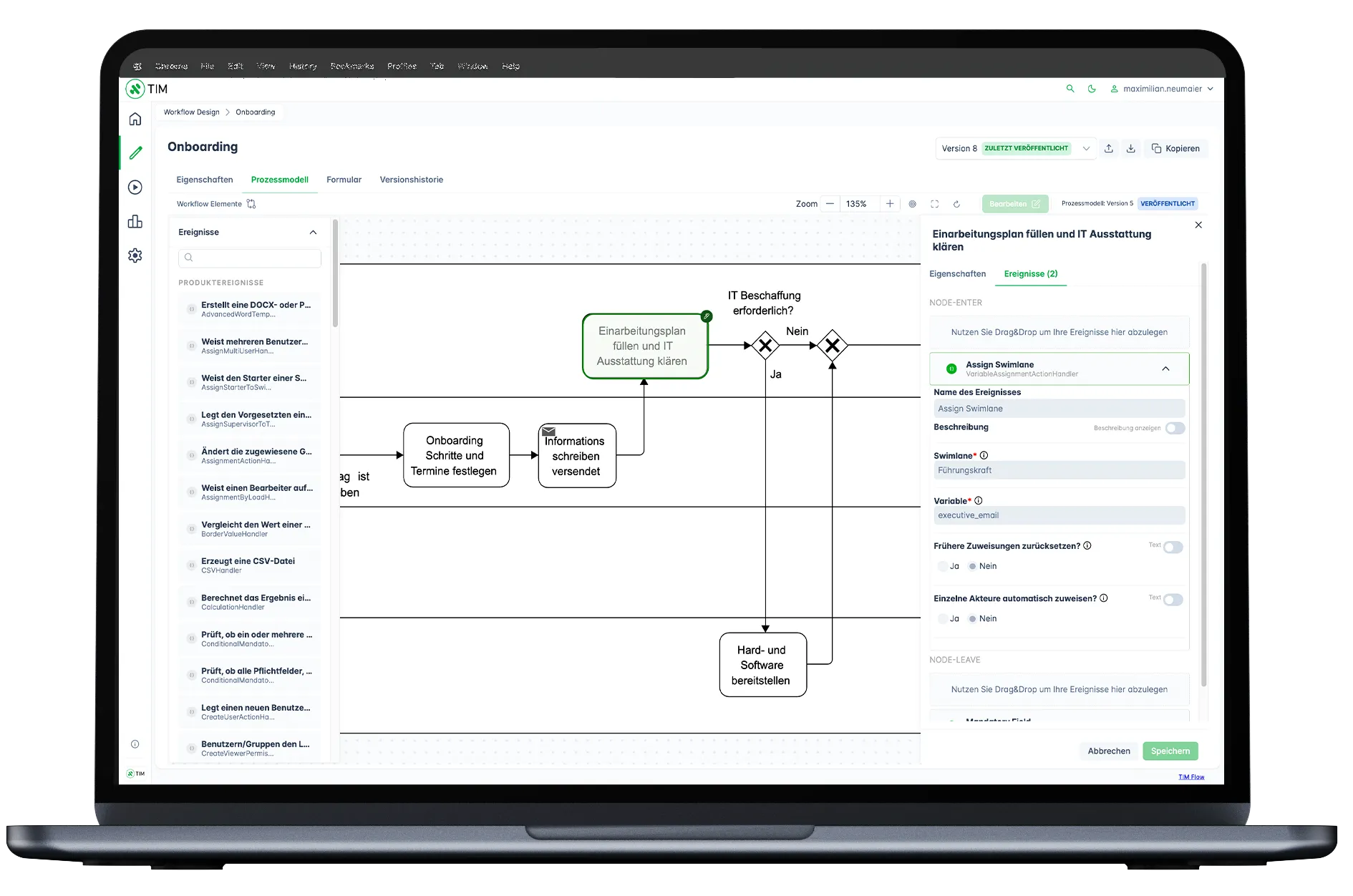
Your process model is the foundation for building digital workflows. If you already have one,
you can start automating right away.
TIM automatically reads your model, identifies all relevant steps, and converts them into
digital workflows. You can then enhance this workflow with events such as automated
document creation, system interfaces, or integrated decision matrices.
With TIM and AI, your previously documented process model becomes a powerful engine for
smooth workflows, transparency, and efficiency across your organization.
TIM gives you full flexibility by supporting any modeling tool that uses the BPMN 2.0
standard.





Vorteile der Prozessmodellierung mit TIM:
Form design: Tailor-made process forms with no-code and low-code
With the TIM Form Designer, you can intuitively configure forms via drag-and-drop and enhance your processes with just a few clicks—AI supports you along the way. This allows
users and departments without technical knowledge to independently design and extend processes and forms using no-code tools. More complex requirements or custom logic can also be implemented via HTML and JavaScript. Thanks to low-code capabilities, you can continuously adapt and scale your forms and workflows.
TIM offers the ideal combination of simplicity and flexibility: Business users can design forms without programming (no-code), while low-code features
ensure that even the most complex requirements can be met. This keeps your processes flexible, intelligent, scalable, and future-proof.
Features of TIM Form Designer
What You See Is What You Get:
Configure forms intuitively using drag-and-drop with a wide selection of proven form elements.
No-code rule configurator:
Display dynamic form content using powerful “if-then” rules.
Custom data types:
Define your own data structures for maximum flexibility and precise alignment with
your process requirements.
Integrated element control:
Adjust visibility and editing permissions individually for each process step.
Practical preview mode:
Test form behavior in real time and in the correct process context - regardless of the role.
Artificial intelligence:
With TIM, you stay in control while AI assists you intelligently in your daily work.
Easy integration
into existing systems
TIM seamlessly integrates into your existing environment, bridging the gap between your infrastructure and other IT tools. With support for standard technologies like REST, you canconnect nearly any system directly to TIM.
Whether Active Directory®, Microsoft®, or SAP®-TIM enables smooth integration into your IT landscape, breaking down system silos and enabling efficient end-to-end processes.
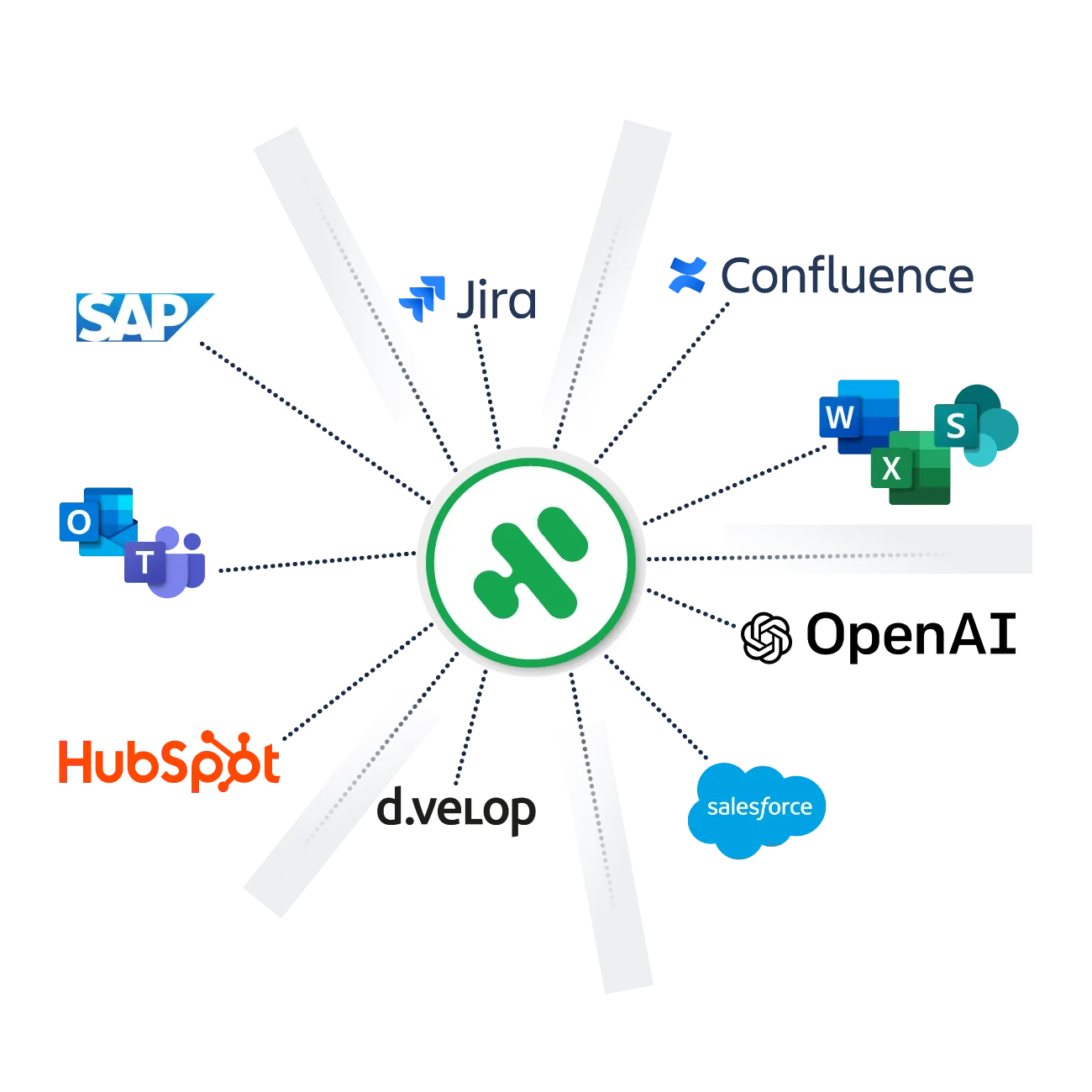
Connectors for even more possibilities
TIM Flow connects third-party systems directly to your workflows - fast, easy, and without programming.